 UK +44 (734) 008 7301
 USA +1 (737) 395 8587

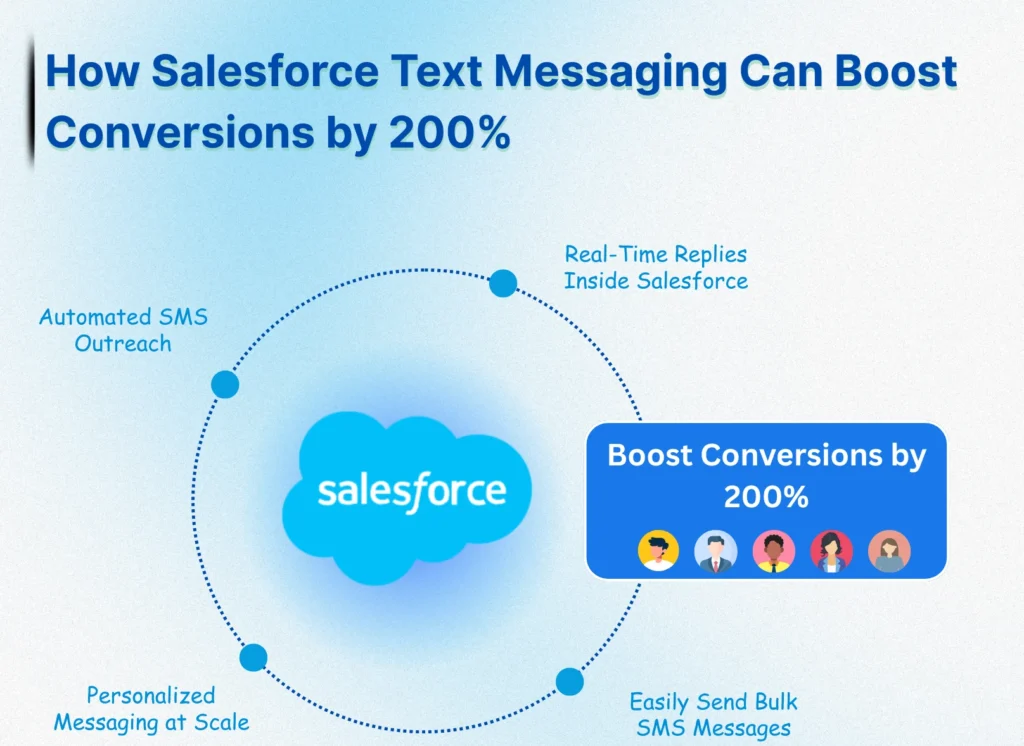
Salesforce text messaging allows businesses to send text messages from Salesforce using native SMS integration and automation. With Salesforce SMS, teams can communicate faster, personalize conversations, and run mass texting campaigns directly from their CRM. As customers increasingly prefer texting over calls or emails, Salesforce text messaging has become a powerful way to boost engagement and conversions.
Message Blink is a Salesforce text messaging app that helps you send SMS from Salesforce, automate follow-ups, manage two-way conversations, and track performance without leaving your dashboard. Whether you want to send a single text message from Salesforce or launch Salesforce mass texting campaigns, SMS integration makes customer communication simple and scalable.
What is Salesforce Text Messaging and SMS Integration?
Salesforce SMS messaging refers to the ability to send and receive text messages directly within your Salesforce environment. With a Salesforce messaging app like Message Blink, you can launch SMS campaigns, send transactional updates, automate follow-ups, and handle two-way customer conversations all without leaving your dashboard.
Why Salesforce Text Messaging Works for Sales and Marketing
1. Instant Visibility
SMS gets noticed fast. While email open rates hover around 20%, text messages boast a staggering 98% open rate. With Salesforce-powered SMS, your message reaches your customer’s mobile device in seconds no spam folders, no delays.
2. True Personalization
Using merge fields like {!Contact.FirstName}, you can personalize each text directly from Salesforce. Tailored messages feel more human, boost engagement, and often lead to faster responses ideal for sales, service, or marketing.
3. Smart Automation Built In
SMS easily integrates with Salesforce automation tools. Whether sending a message after form submission, a missed appointment, or a successful purchase, SMS triggers are set via Flow Builder, Process Builder, or Workflow Rules requiring no manual effort.
💡 Pro Tip:
Tools like Message Blink make SMS automation in Salesforce easier than ever. Use drag-and-drop flows, set conditions, and track responses all without leaving your CRM.
5 Proven Salesforce Text Messaging Tactics to Increase Conversions
Tactic 1: Instant Lead Response
Timing is everything. Respond to new leads within 5 minutes using Salesforce SMS messaging.
Example:
Hi {!Lead.FirstName}, thanks for your interest! Reply ‘YES’ to schedule your demo or ‘CALL’ for a quick chat.
Harvard Business Review found that companies who follow up within 5 minutes see a 9x higher conversion rate.
Tactic 2: Abandoned Cart Recovery
Recover lost revenue by automatically sending SMS reminders when a prospect abandons their cart.
SMS Example:
Hey {!Contact.FirstName}, you left something behind! Use code SMS10 for 10% off. [Checkout Link]
Result: SMS converts 3x better than abandoned cart emails (Omnisend Study).
Tactic 3: Appointment Reminders
Schedule SMS reminders 24 hours before events using Salesforce Event objects.
SMS Example:
Reminder: Your demo with {!User.Name} is scheduled for tomorrow at {!Event.Time}. Reply ‘RESCHEDULE’ if needed.
Result: Reduces no-shows by over 50% (Journal of Healthcare Management).
Tactic 4: Two-Way Conversational Texting
Manage two-way SMS conversations directly within Salesforce with Message Blink.
SMS Example:
Hi {!Lead.FirstName}, still interested in {!Opportunity.Name}? Reply YES or NO.
Two-way conversational SMS drives 35% more engagement compared to one-way blast messages (SimpleTexting).
Tactic 5: Post-Purchase Upselling
Automatically send personalized offers after a deal is marked “Closed-Won” in Salesforce.
SMS Example:
Thanks for your purchase, {!Contact.FirstName}! Want to add [Upsell Item] for 15% off? Reply ‘ADD’ to claim.
A SaaS company increased upsell revenue by 27% using this tactic in their Salesforce SMS strategy.
Salesforce SMS Best Practices & Compliance
Using SMS in Salesforce is powerful, but you must stay compliant:
- Always get opt-in consent before messaging.
- Include an opt-out option: e.g., “Reply STOP to unsubscribe.”
- Send messages between 9 AM–7 PM in the customer’s time zone.
- Limit marketing messages to 2–4 per month unless transactional.
Real-World Example of Salesforce SMS in Action
Industry: E-commerce
Challenge: Low conversion rates from abandoned carts
Solution: Salesforce SMS automation with discount reminders
SMS Example:
Hey {!Name}, your cart is still waiting! Use code SMS20 to complete your order. [Link]
Outcome: 214% increase in recovered revenue in just 90 days.
How to Add Salesforce Text Messaging and SMS Integration to Salesforce?
Adding SMS to Salesforce is simple with the right Salesforce messaging app. Tools like Message Blink offer:
- Bulk SMS messaging
- One-on-one texting
- WhatsApp and SMS integration
- Message templates with merge fields
- Reporting and analytics
- Native Lightning support
- Full compliance and opt-out automation
Whether you’re doing lead nurturing, appointment reminders, or post-sale follow-ups, Salesforce SMS gives you a complete messaging powerhouse right inside your CRM.
Start Using Salesforce Text Messaging Today
With Salesforce texting, you’re not just sending messages you’re building real-time conversations, closing deals faster, and turning leads into loyal customers.
SMS Salesforce integrations are no longer optional – they’re essential for growth-driven teams. With the right Salesforce Text messaging strategy, you can 2x your conversion rates, reduce churn, and drive real ROI directly inside your CRM.