 UK +44 (734) 008 7301
 USA +1 (737) 395 8587

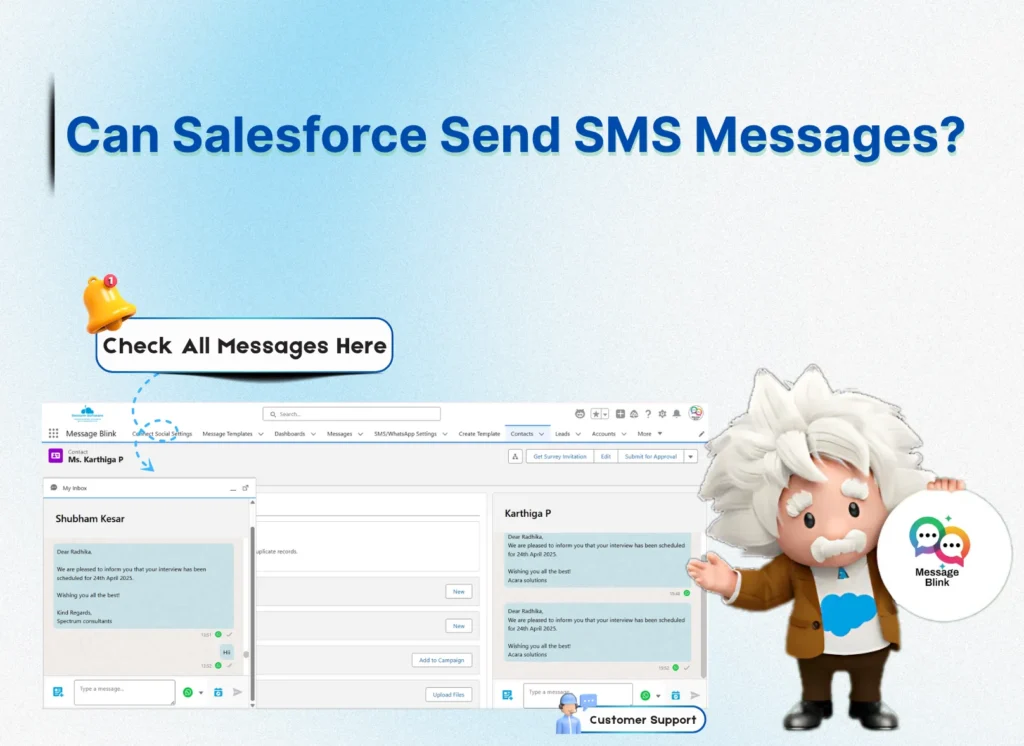
Salesforce SMS enables 1:1 and bulk texting, powerful automations, and WhatsApp all built right into your CRM. With Message Blink, you’ll connect faster, work smarter, and engage at scale without leaving Salesforce.
Whether you’re in sales, marketing, or support, Salesforce SMS enables faster engagement, higher response rates, and seamless communication. In this guide, discover how SMS works in Salesforce, the best methods to implement it, and why Message Blink is a top Salesforce SMS messaging app.
Can You Send SMS from Salesforce?
Yes, you can send SMS from Salesforce using Message Blink available on the Salesforce AppExchange. Salesforce does not provide SMS functionality out of the box, but with Message Blink, you can enable full Salesforce text messaging features for one-on-one chats, mass texting, automation, and more.
Whether you’re a marketer, sales rep, or support agent, Salesforce SMS texting apps allow you to reach customers directly through their mobile devices without leaving Salesforce.
For a detailed walkthrough, see our Salesforce SMS setup guide.
What is Salesforce SMS?
Salesforce SMS refers to the ability to send, receive, and track SMS messages directly within Salesforce CRM. This includes 1:1 texting, mass texting, automated workflows, and even WhatsApp integration using Message Blink.
Why Use a Salesforce SMS App?
Here’s why companies use SMS apps for Salesforce:
-
Send bulk text messages Salesforce: Reach hundreds or thousands of leads instantly.
-
Salesforce SMS automation: Automate text messages based on triggers, workflows, or campaigns.
-
Text messaging inside Salesforce: No need to switch platforms.
-
Two-way communication: Receive replies inside your Salesforce inbox.
-
Track SMS delivery and responses: Improve campaign performance with analytics.
The Best SMS App for Salesforce: Message Blink
Message Blink is a Salesforce SMS and WhatsApp app that lets teams send one‑to‑one and bulk SMS from Salesforce, trigger SMS with Flow, and track replies on CRM records.
✅ 100% native to Salesforce
✅ Send SMS + WhatsApp inside your salesforce
✅ Real-time live inbox, two-way chat inside Salesforce
✅ Bulk Messaging: Send thousands of messages with one click
✅ Flow + Process Builder Integration
✅ Personalise your texts using Merge Fields & Templates
✅ Trigger messages based on lead stage, case closure, or any custom rule
✅ See all SMS conversations in your record view
✅ Compliance-Ready: Secure and AppExchange-verified
Whether you’re sending 1:1 messages or launching bulk SMS campaigns, Message Blink makes Salesforce SMS Messaging easy.
Key Salesforce SMS Features to Look For
When choosing a Salesforce texting app, consider these must-have features:
-
Bulk text messaging: Send SMS to leads, contacts, or campaign members.
-
Automated SMS Salesforce workflows: Trigger texts on form submissions, status changes, or time-based actions.
-
SMS history tracking: View past messages with full details.
-
Merge fields: Personalize messages with lead/contact data.
-
SMS templates: Create reusable templates for speed and consistency.
-
Inbox view: See two-way conversations in real time.
Top Use Cases of Salesforce SMS
Here are the top ways businesses use Salesforce SMS:
-
Sales teams follow up on leads instantly
-
Marketing teams run promotional campaigns
-
Support teams send ticket updates or status alerts
-
Recruiters send interview reminders
-
Event managers send confirmations and reminders
-
Send Salesforce SMS campaigns to subscriber lists
- To run large‑scale campaigns, follow this Bulk SMS in Salesforce setup guide.
Whether you’re sending 1-on-1 texts or bulk SMS messages in Salesforce, a powerful Salesforce texting app like Message Blink can transform the way you communicate.
Salesforce SMS Automation: Work Smarter
Automated SMS Salesforce workflows help you work smarter. Set rules to trigger messages automatically when:
-
A lead is created
-
A case is closed
-
A quote is approved
-
A birthday or event date arrives
Salesforce SMS automation reduces manual work and ensures timely communication.
Salesforce SMS Pricing Overview
Salesforce itself doesn’t sell a generic ‘Salesforce SMS’ SKU; pricing depends on the Salesforce‑native SMS app you choose and your message volume. Message Blink offers per‑user and volume‑based plans; see the pricing page for details.
Message Blink offers flexible plans, from small teams to enterprise-level needs starting with $5 per user per month.
Conclusion
Salesforce SMS is not just possible it’s powerful, scalable, and fully integrated when using the right app. With apps like Message Blink, you can:
-
Send SMS from Salesforce instantly
-
Send bulk text messages in Salesforce
-
Use automated SMS Salesforce workflows
-
Engage better with customers via SMS and WhatsApp
So, the next time someone asks, “Can Salesforce send SMS?”, you know the answer: Yes, with the Message Blink, the Best Salesforce texting app you can send, automate, and scale SMS communication seamlessly.